The hiring campaign we ran brought about 800 visitors in 2 weeks.

Work done, and still waiting on the GC to pay?

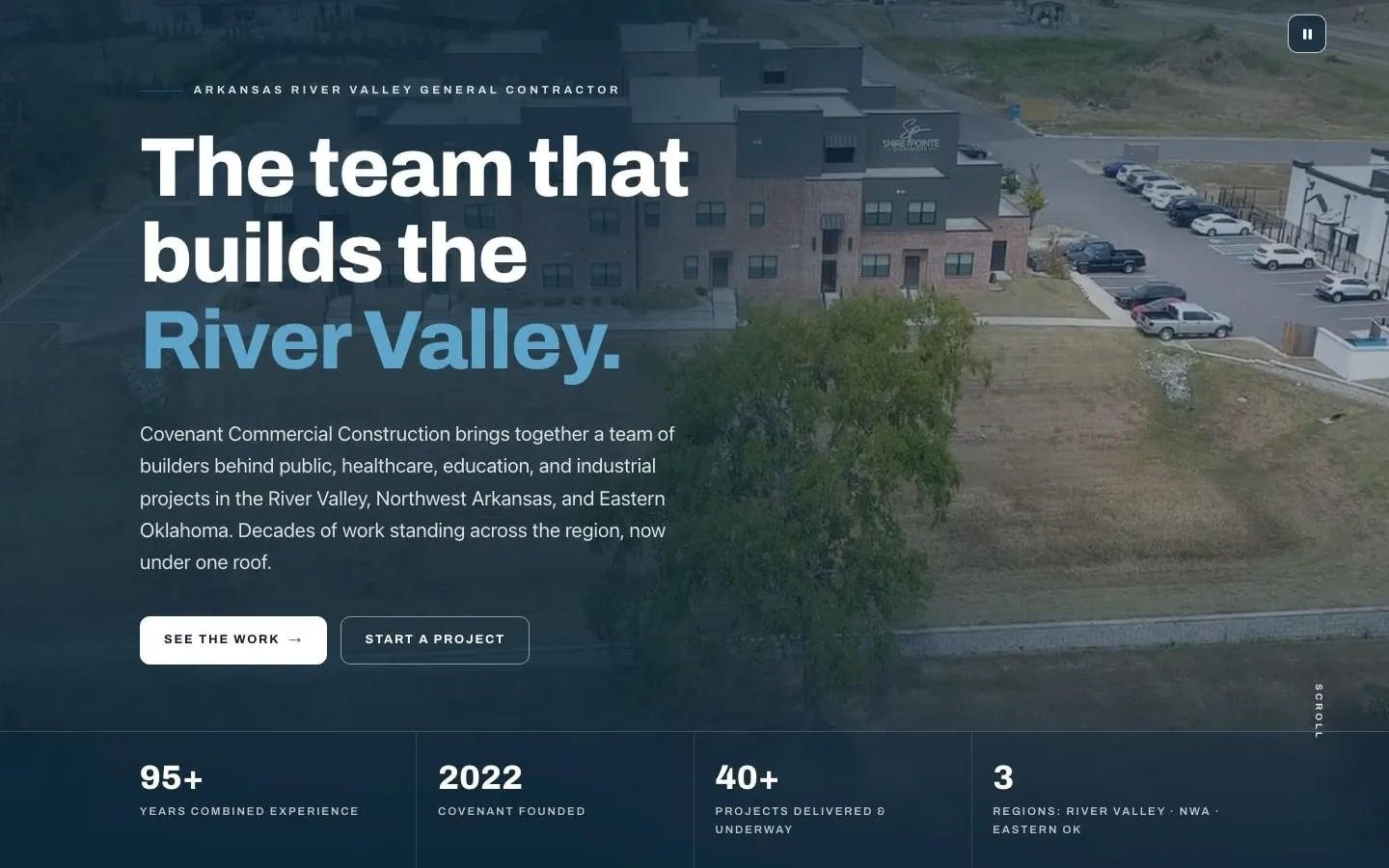
The visitors came to the website we built for Covenant Commercial Construction.

Growth: $947 to set up, then $147 a month

A day with the app we would build you

  1. The super opens today’s jobs and the schedule on the phone, and the office sees the same thing, synced live.
  2. A GC you haven’t worked with asks you to bid. The AI teammate answers and drafts a quote for your okay.
  3. The GC asks for extra work. The super writes a quote with the price on the phone and sends it before anyone starts.
  4. The month’s invoice goes to the GC, who sees it with your quotes and the job status in the customer portal.
  5. An open invoice passes its due date, and an invoice nudge goes to the GC.
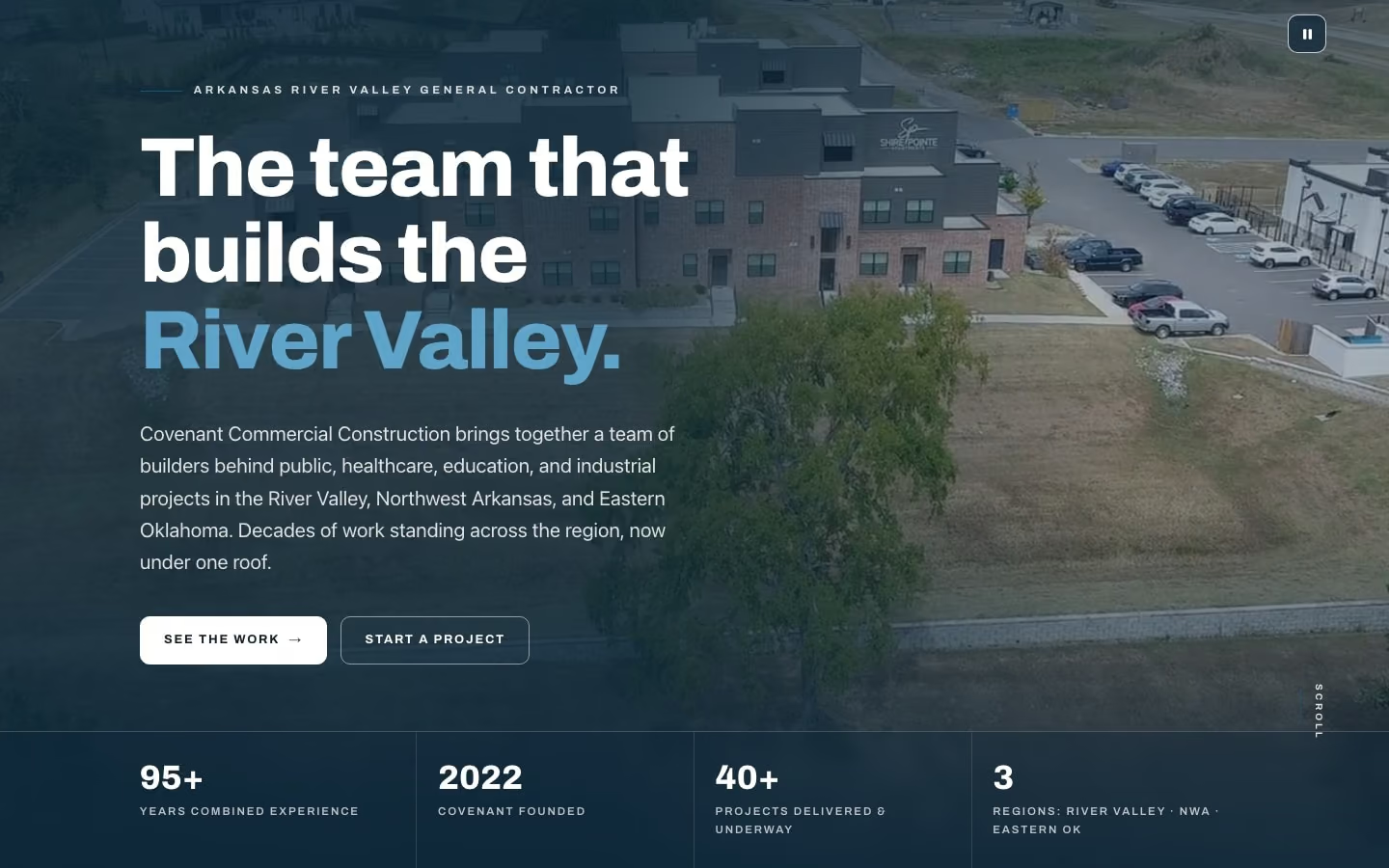
The Covenant Commercial Construction home page on a desktop: the hero over its aerial film, with its 4 numbers.
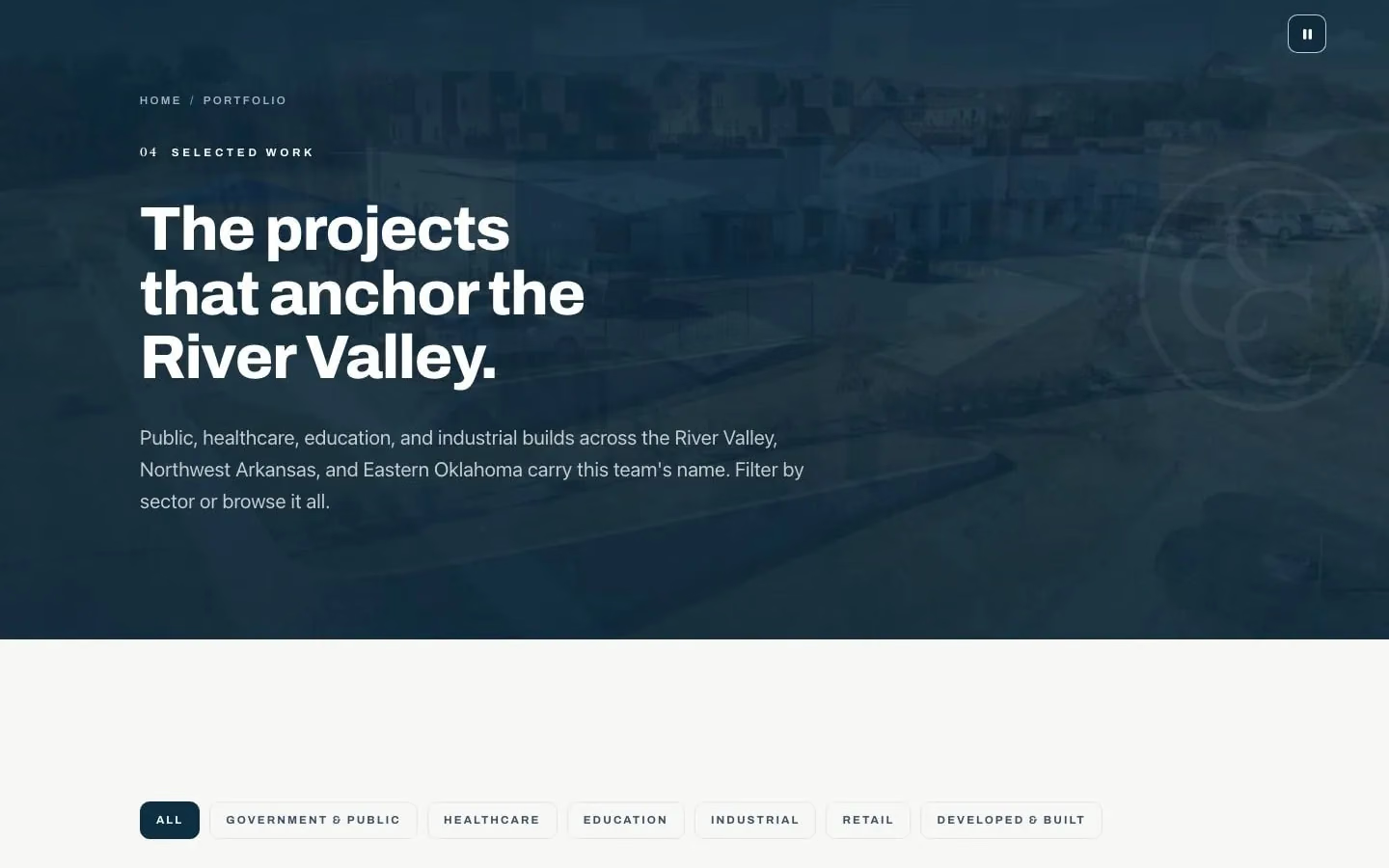
The Covenant Commercial Construction portfolio on a desktop: the featured project, then its projects with photos.
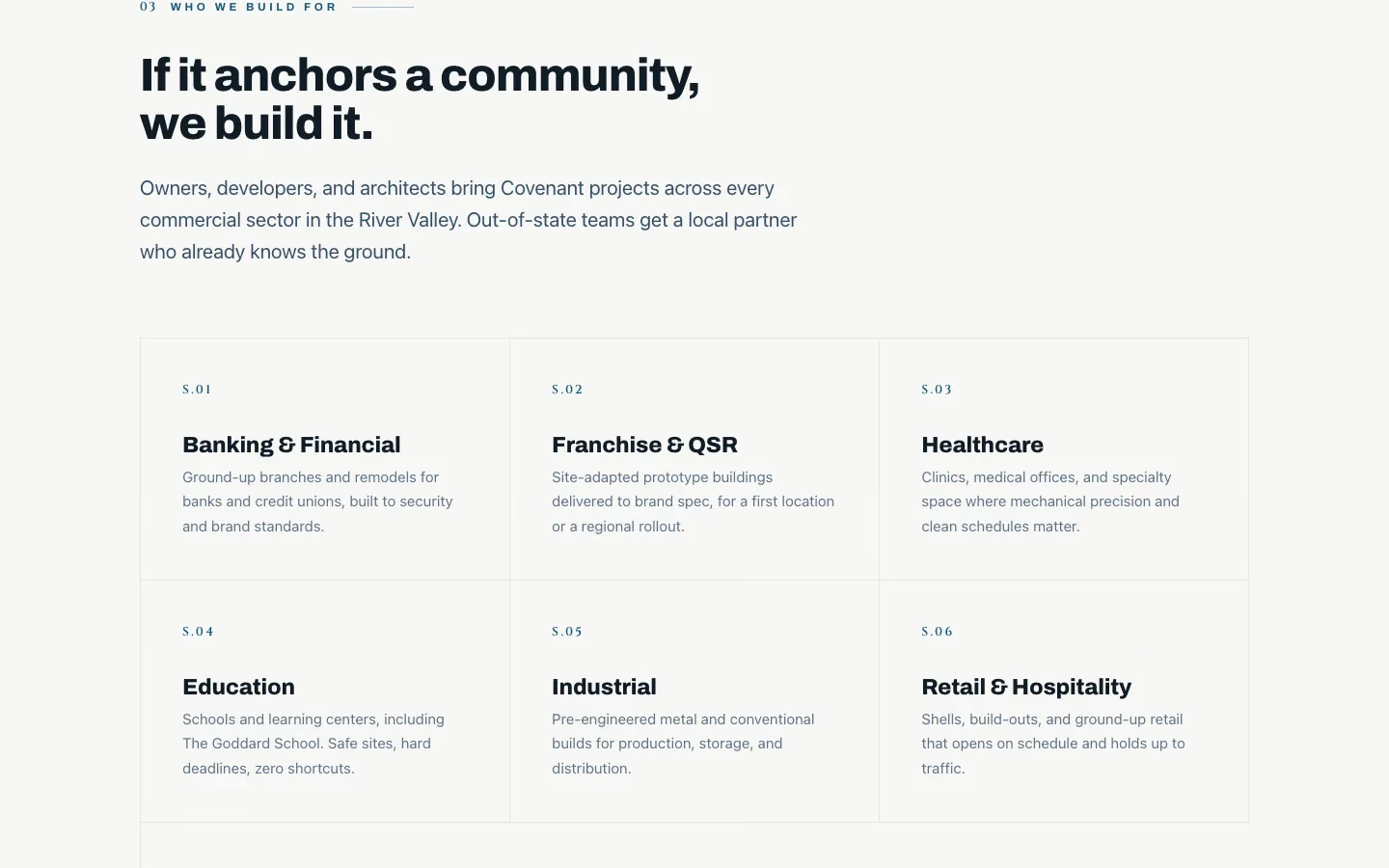
Who Covenant Commercial Construction builds for, on its home page: the heading and its sectors.
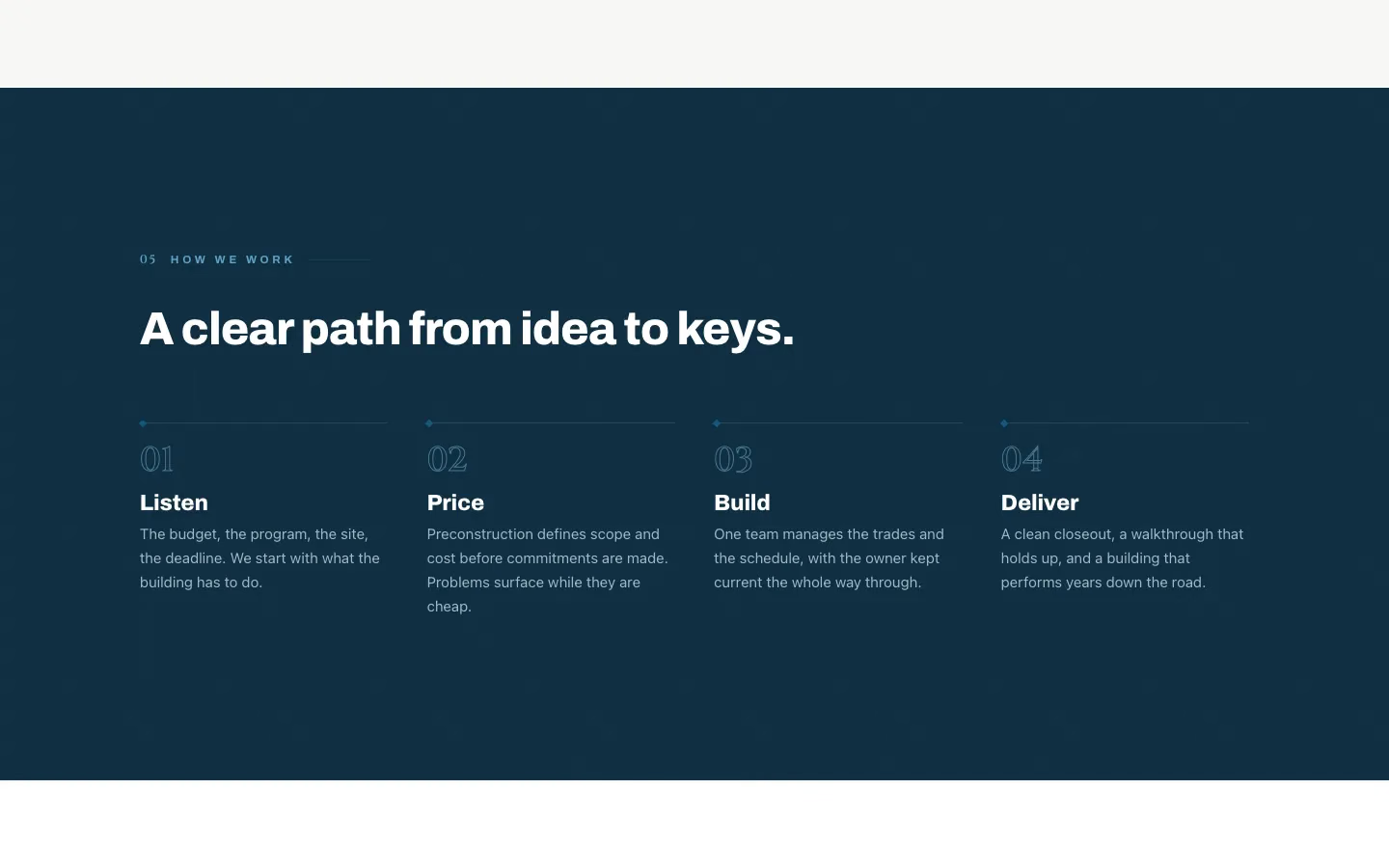
How Covenant Commercial Construction works, on its home page: listen, price, build, deliver.

Covenant Commercial Construction. Real Joiner build

Daily logs that crash, and pay that waits on the GC.

Our next idea, not built yet: an app where daily logs are done on the phone, change orders are signed before the work, pay apps come from the month’s work, and what you’re owed sits on 1 screen.

  • Done with the job months ago, and still waiting on the GC to pay.
  • Change orders finished, and the GC holding the payment back.
  • Software that’s wildly overpriced, with features your crew never uses.
  • Field apps that crash and lose the day’s report.
  • No steady pool of bids for when this job ends.

Covenant Commercial Construction. Real Joiner build

What we would build: daily logs, change orders and pay apps, with what you're owed on 1 screen.

  • Jobs, crews, daily logs

    Your field reports: what happened on each job, each day, written once in the field and seen in the office.

    • Daily logs with photos, done on a phone
    • Punch lists and RFIs kept with each job
    • Every job’s documents in 1 place
    • Up to 5 users with roles for the office and the field
  • Change orders, pay apps, retainage

    The paper behind each dollar you bill: change orders, pay apps and retainage, dated and kept by job.

    • Change orders priced and sent for signing before the work
    • Pay applications built from the month’s work
    • Retainage tracked by job, with its due date
    • What’s owed to you, job by job
  • The website, and the next bid

    Your website and your bid follow-ups: past work a GC can look up, and a follow-up drafted for each bid you send.

    • Your past projects on a website, like the one we built for Covenant, with the Website build or refresh add-on
    • A follow-up drafted for every bid you submit, for your okay
    • An AI teammate that answers new inquiries and drafts quotes for your okay

A website that shows GCs your past work

A GC or an owner who looks you up should find your past work in a minute. We built covenantcommercialconstruction.com for Covenant Commercial Construction: who they build for, their projects with photos, and how they work, in 4 steps. Then we ran a hiring campaign for them, and it brought about 800 visitors to the site in 2 weeks.

For your own site, start with the projects: a photo, the size, the sector and the GC or owner you built it for. Then say who you build for, and how a job runs with you, from the first call to the closeout.

When a general contractor doesn’t pay you

Google suggests “what to do if a general contractor doesn’t pay you” as you type. Nothing here is legal advice, so talk to a construction attorney early. What you can do on each job:

  • Read the payment terms before you sign. Check whether you get paid only when the GC gets paid, and how long that can take.
  • Set up your schedule of values with the GC at the start, line by line, so each pay app bills a percent complete against lines they have already seen.
  • Send every pay application on the GC’s schedule, in their format, with backup attached.
  • Get every change order in writing, priced and signed, before the work.
  • Track retainage by job, with the date it should be released and any warranty period tied to it.
  • Keep your requests in writing, by email, with dates.
  • Know your state’s deadlines for a mechanic’s lien or a payment bond claim. Ask a construction attorney for yours before a payment is late.

The paper trail is what you have when a payment is late. Build it every day while the work is fresh, so it’s ready the week you need it.

Daily logs that hold up

A good daily log is written the same day by the person who was there. Include the date, the weather, the crew count by trade, the work done and where, deliveries, delays and why, visitors and inspections, and photos with the time on them. Keep the same order every day so anyone can read it fast. Don’t wait a week and write it from memory. Before work gets covered, photograph what’s in the wall, under the slab or above the ceiling, and note the floor and the grid line in the log. When a delay is someone else’s, say whose in the log, with the time you told them.

Change orders, in writing, before the work

Don’t do extra work on a verbal yes. When the GC or the owner asks for something outside your scope, write it up before you start: what changes, the price, and the effect on the schedule. Get it signed, and send the signed copy back the same day. Number each change order in order, and keep a running list for the job: the number, what changed, the price and whether it’s signed. Then show approved changes on every pay app, so they’re billed with the rest of the month.

How to get on a GC’s bid list

Prove to GCs that you show up and finish, and make it easy for an estimator to say yes:

  • Keep a prequalification packet ready: insurance certificates, your license, references, a safety record and your bonding capacity if you have it.
  • Show your past projects with photos, sizes and the GC you built them for, on your website and in the packet.
  • Call the estimators at the GCs you want to work for, and ask how their bid lists work.
  • Answer every invite, even with a no-bid, and follow up after every bid you send.
  • Keep a list of the bids you send: the GC, the project, the bid date, your number and the day you followed up.

Punch lists that close the job

Ask the GC what releases your retainage. If it waits on the punch list, a slow punch list is slow money. Walk the punch list with the GC as early as they allow. Give every item a photo, a location and the person who will fix it. Mark each one done with an after photo the day it’s fixed, and send the GC the closed list with the photos attached. Ask for the sign-off in writing, and put the date it was asked for in your records, so the date is on paper when you ask for your retainage.

The app we’d build next: the field and the office

This app is an idea, not a build yet: the next thing we’d build for a company like yours. Field: today’s job, the daily log and photos, punch lists and RFIs. Office: change orders, pay applications, retainage and what’s owed, job by job. On Growth it connects to the tools you already use, and a new feature or automation comes every month. It runs on phones in the field and computers in the office.

Not ready to start? Have Otis audit your business, free.
Questions, answered

What have you built for a construction company?

The website for Covenant Commercial Construction: who they build for, their projects with photos and how they work. Then we ran a hiring campaign that brought about 800 visitors to the site in 2 weeks. The app on this page is the next thing we'd build, and it's an idea, not a build yet.

We're a small GC or sub. Isn't this kind of software built for big companies?

Yours would be built for your company, and it is priced for one: Growth is $947 to set up and $147 a month, month to month, with up to 5 users with roles. Past that, Enterprise quotes the build for your size.

What happens to our logs and pay apps if we leave?

They leave with you: the daily logs, the pay apps and the change orders. You own your domain, your accounts, your website files and your data. Joiner owns the app and licenses it to you while your plan is active. You can ask for an export of your data any time while your plan is active and for 30 days after it ends.

Is there a contract?

You agree to our Terms at checkout, and Growth is month to month. It renews monthly until you cancel, and monthly fees are billed monthly in advance. Cancel any time, and service runs to the end of the month you paid for.

Can it get us paid faster?

The app can't make a GC pay. Each log, change order and pay app would be dated and ready to send on time. Then you would have the paper trail when you ask, and you could see what's owed.

Will it work with what the GC uses?

It would send standard documents to the GC by email, so they can open them without your app. Growth also connects to the tools you already use.

Our jobs have bad signal. Will the field app lose work?

The daily log would save on the phone and send when you're back in range.

What about our accounting software?

Your app would keep the numbers on each job: changes, pay apps, retainage and what's owed. Growth can connect to the tools you already use.

The plan that fits

Growth gives the office and the field up to 5 users with roles, connections to the tools you already use, and a new feature or automation built every month. Past 5 users, Enterprise quotes the build. The setup fee is refundable in full until the build starts, and we email you the day it starts.

  • Website build or refresh$447 setup + $27 a month on its own, or $397 setup + $27 a month with any plan

Renews monthly until you cancel. Cancel any time from the billing link in your receipt or by email to support@joinerlabs.com.

Every plan and price

Growth

Your app, your agents, a monthly build

For teams up to 5

Setup, once
$947
A month
$147

USD. Renews monthly until you cancel. Cancel any time from the billing link in your receipt or by email to support@joinerlabs.com.

Start with Growth

Everything in Pro, plus

  • Up to 5 users, with roles
  • Up to 3 AI agents
  • A customer portal: your customers see their quotes, invoices and job status
  • A new feature or automation built every month
  • A 30-minute strategy call and a one-page report every month
  • Connections to the tools you already use

Tell us how you work. We’ll show you what we’d build.

We reply within 1 business day.

We reply within 1 business day with what we would build and which plan fits. Nothing to pay until you say yes.

We use what you send to answer your request. Privacy Policy