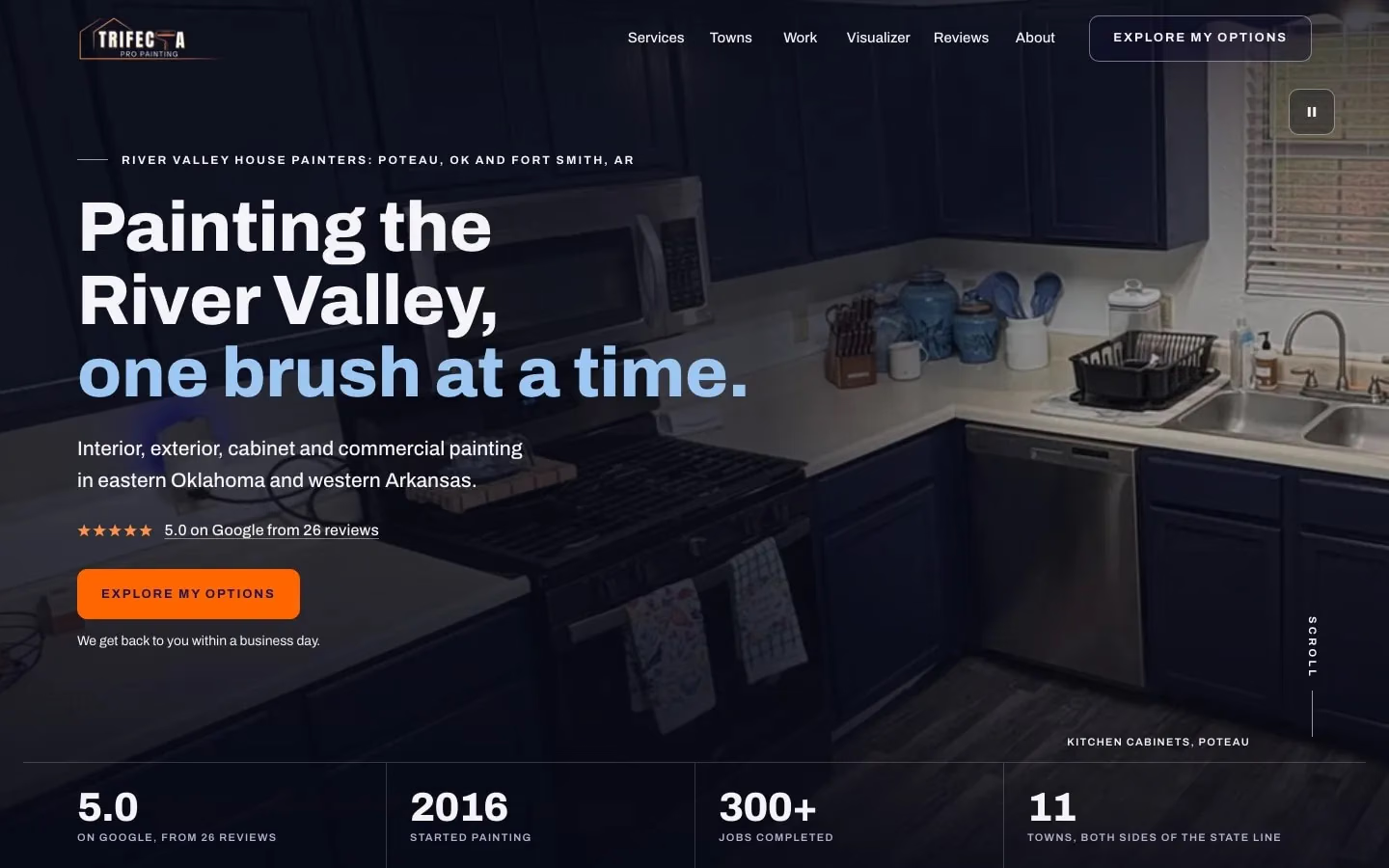
We built Trifecta Pro Painting’s website, live today.

Still guessing what to bid on every paint job?

Trifecta’s customers see their home in a new color, then ask for an estimate in 3 steps.

Pro: $477 to set up, then $87 a month

A day with the app we would build you

  1. A walkthrough on a 2-story colonial. You add the rooms, the prep and the colors to the customer’s job on your phone, in your own words.
  2. Your AI teammate drafts the quote. You check the prep and the exact paint, okay it and send it from the driveway.
  3. A homeowner says yes to last week’s quote. You put the job on the schedule, and it shows on your crew lead’s phone, synced live.
  4. 3 estimates from last week are still open. Your AI teammate drafted a follow-up for each, and you approve them at lunch.
  5. Yesterday’s job is done. You send the invoice, and the customer gets a review request. If the invoice sits unpaid, a nudge goes out.
  6. Slow season ahead. You pull up last summer’s exterior customers on your phone and plan the calls about interiors and cabinets.
The Trifecta Pro Painting home page on a desktop: the paint pour opener, then the hero over his reel of finished rooms.
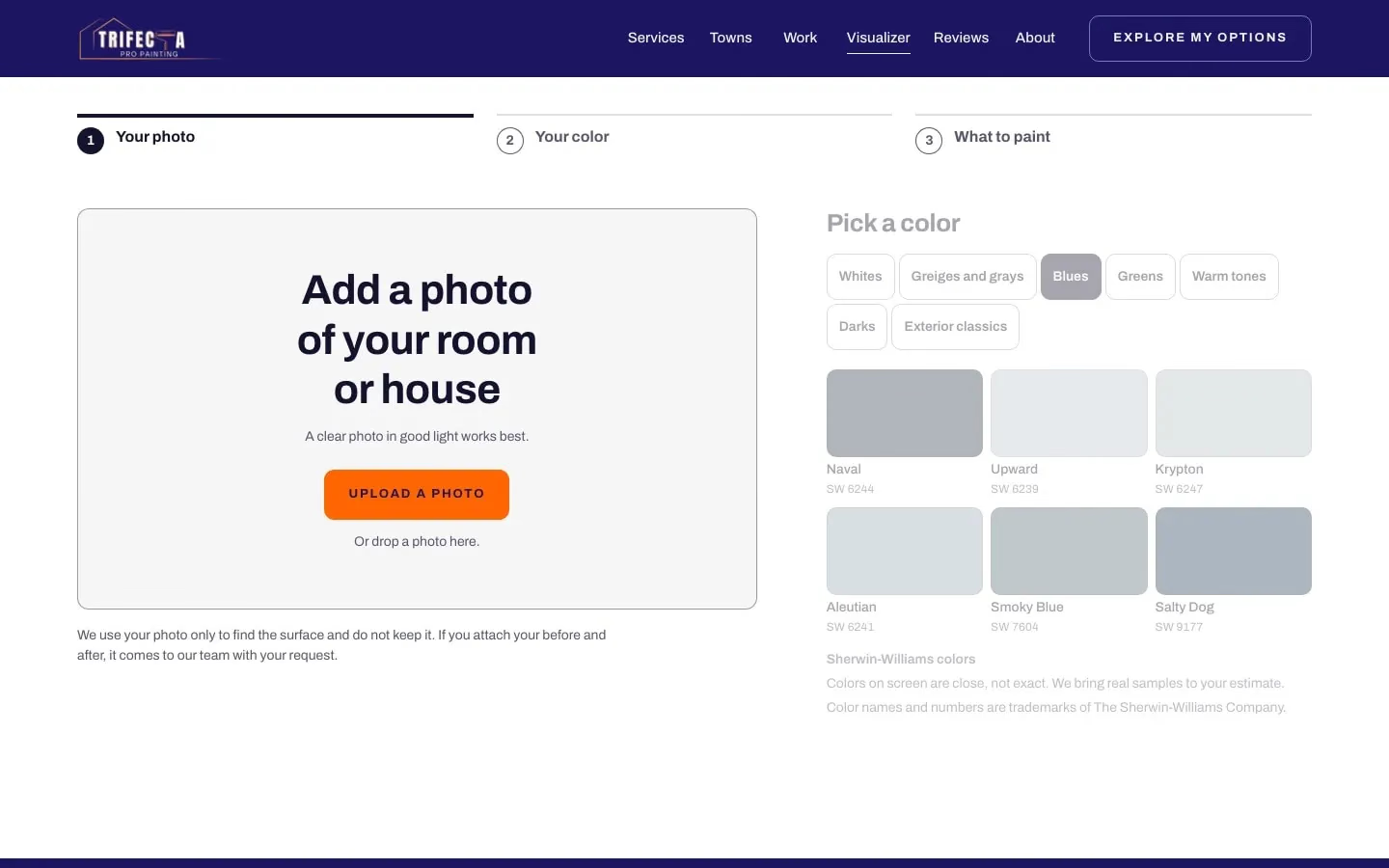
The Trifecta Pro Painting visualizer on a desktop: the 3 steps, the photo card and the color guide.
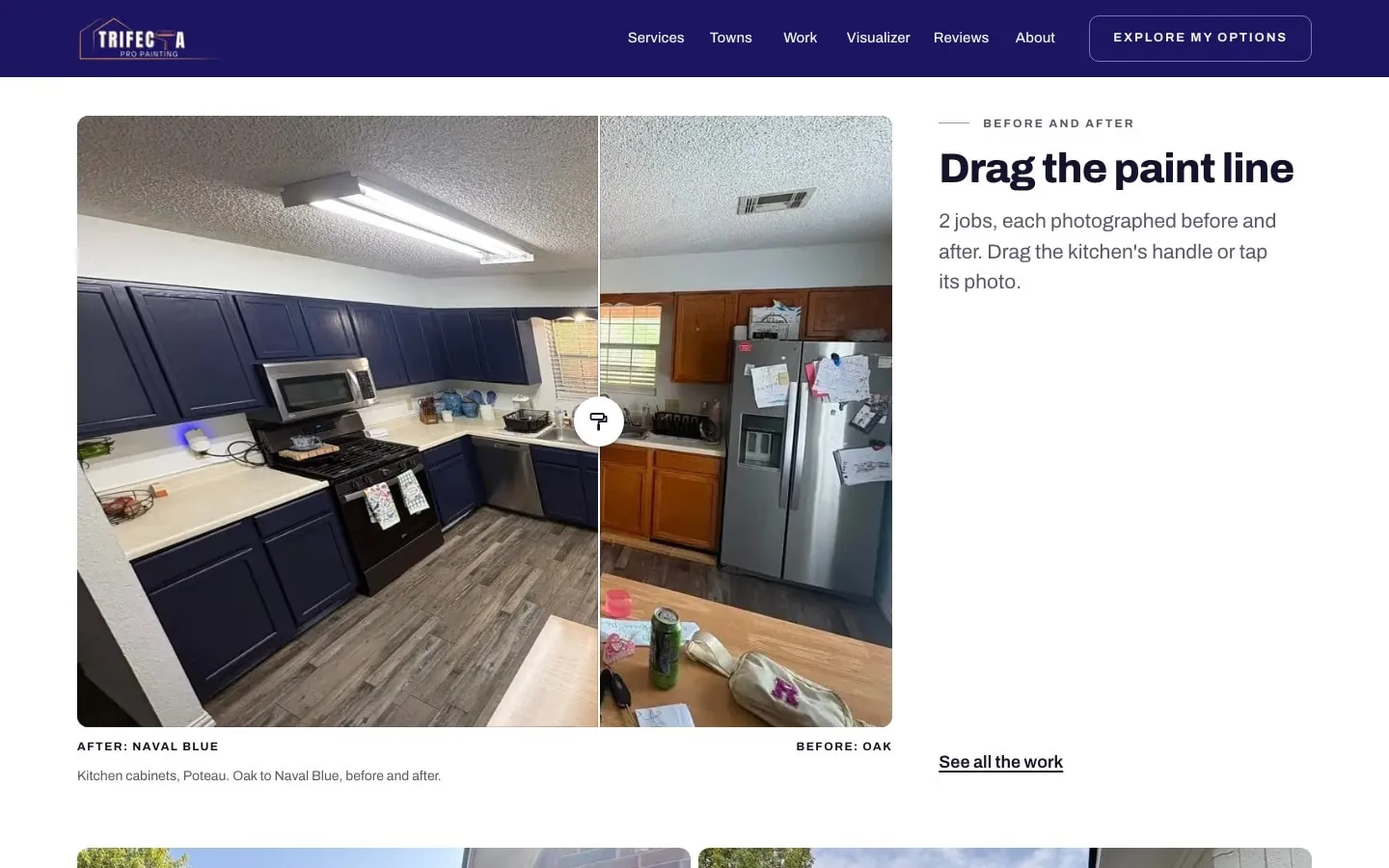
A kitchen on the Trifecta Pro Painting home page, its paint line dragged from the oak before to the blue after.
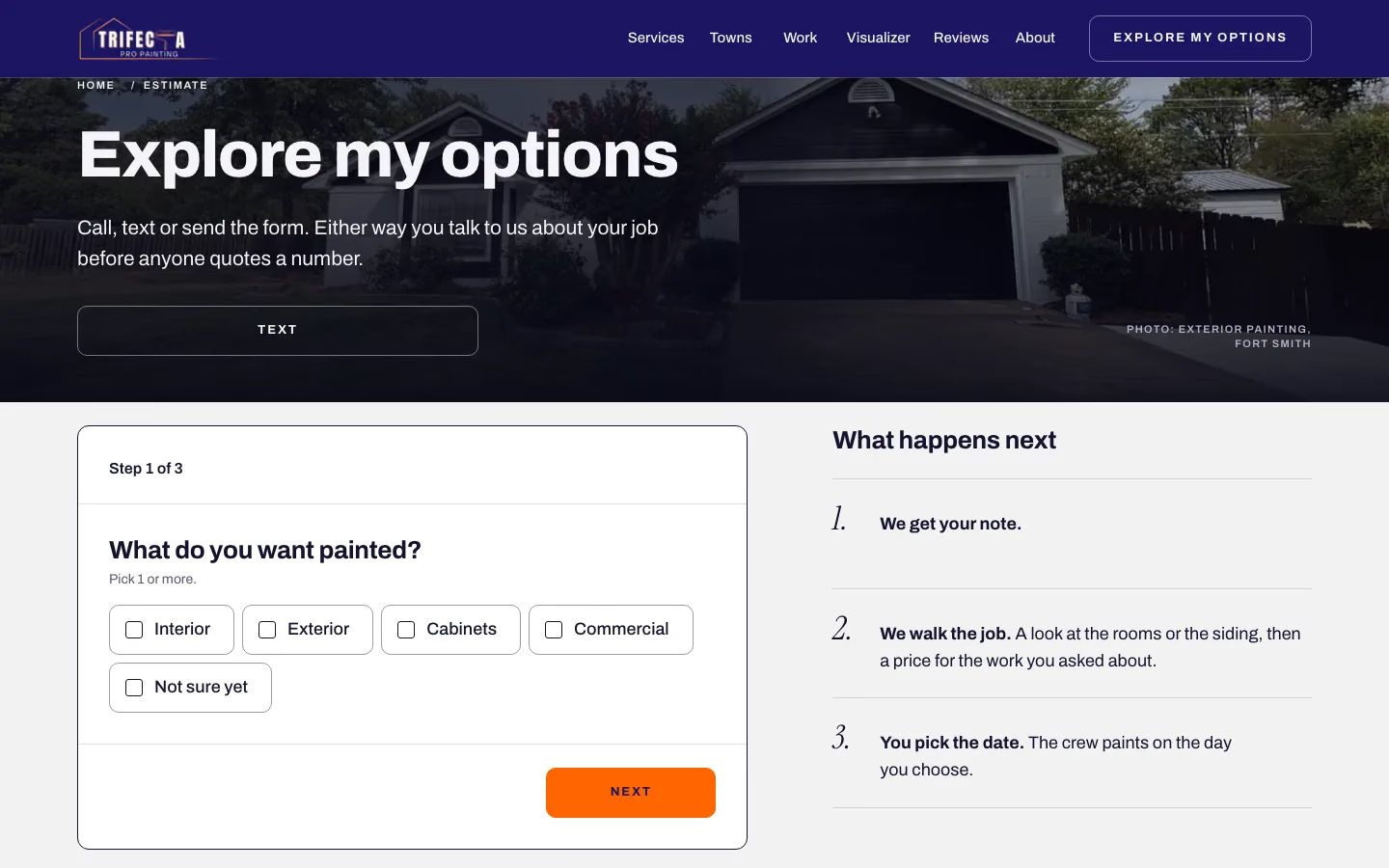
The first step of the Trifecta Pro Painting estimate form on a desktop: what do you want painted?
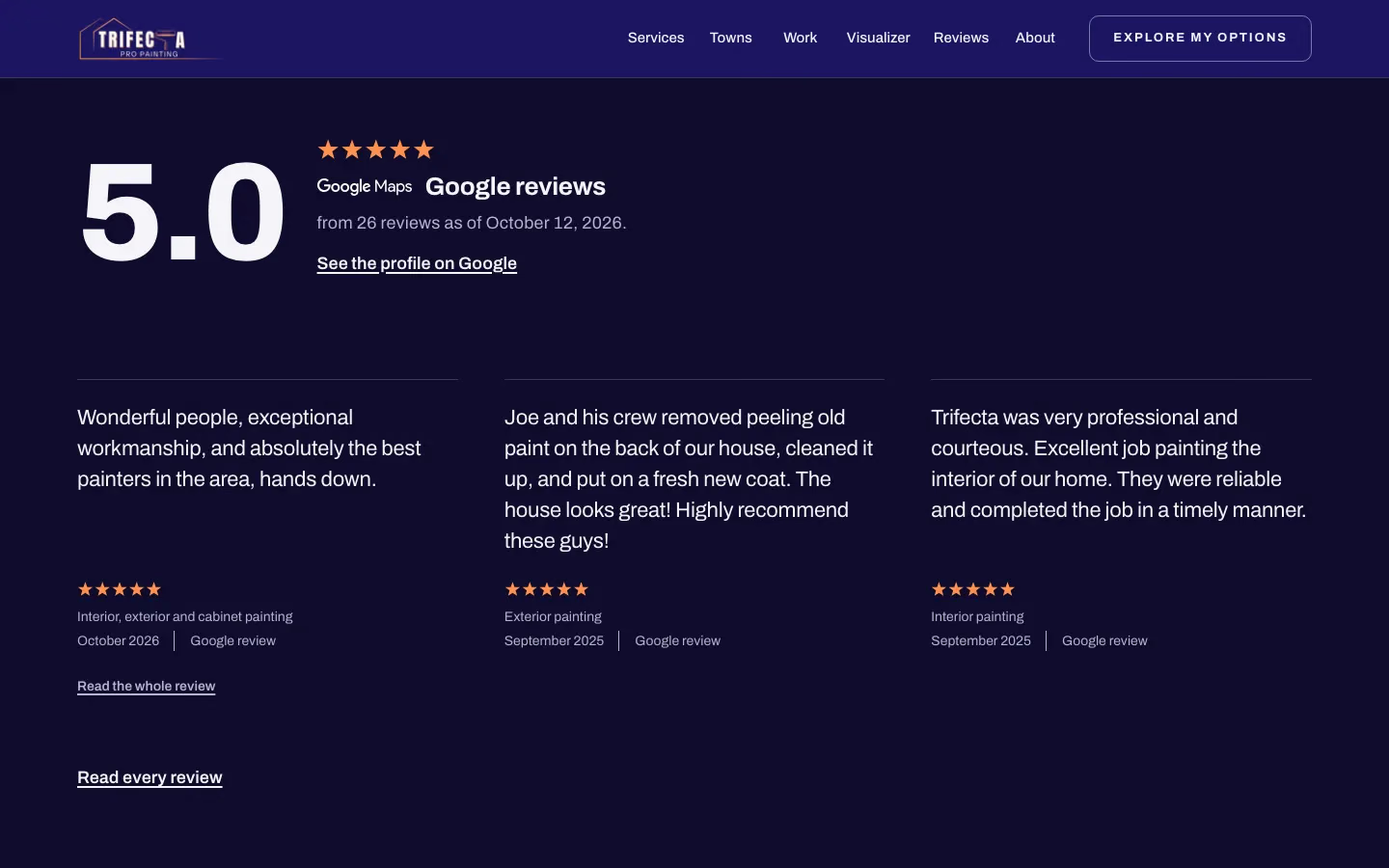
The Google reviews on the Trifecta Pro Painting home page, 5.0 from 26 reviews.

Trifecta Pro Painting. Real Joiner build

Bids you guess, and call notes you type twice.

In the app we build you, a walkthrough ends with a priced estimate in the customer’s inbox, open estimates get a follow-up drafted for your okay, and finished jobs get a review request.

  • No idea what to bid, so you guess low to get the job.
  • 20 minutes on an estimate, then the app times out or crashes and it’s gone.
  • Notes from calls on paper, typed in again when you get home.
  • Software that only really works on the computer, while you’re walking the property.
  • Years of customers and estimates, held hostage when you try to leave.

What we would build: estimates priced on site, deposits on acceptance and follow-ups on open bids.

  • Walkthroughs, crews and jobs

    Your walkthrough and your crew’s week: measurements, colors and notes captured on site, and the schedule in one place.

    • Room-by-room measurements on your phone
    • Each job’s colors, products and notes for the crew
    • The crew’s schedule, synced live
    • Before and after photos on every job
  • Estimates, deposits, invoices

    Estimates priced from your rates, deposits paid from the phone, and a record of what each job really took.

    • Estimates priced from your own production rates
    • Invoices in your words
    • Deposits paid from the customer’s phone
    • What you bid against what the job took
  • Follow-ups and reviews

    Your follow-ups and reviews: a follow-up drafted on each open estimate for your okay, and a review request after each finished job.

    • A follow-up on every open estimate, drafted for your okay
    • A review request after every job
    • A note to past customers before the slow season
    • Add-ons: Website build or refresh; Google Business Profile setup; Meta ads, managed

Trifecta Pro Painting

Real Joiner build

How to estimate a paint job by square feet

Some customers ask for a price per square foot, and one painter in that spot wrote, “I have no idea what to bid.” Square feet are only a starting point for a price. Before you price 2 rooms of the same size the same way, count the trim, the doors, the ceiling and the prep in each.

Price by production rate instead. A production rate is how many square feet (or linear feet, or pieces) your crew finishes in an hour on each surface: walls, ceilings, trim, doors, cabinets. Measure each surface, divide by its rate, and you have the hours. Multiply the hours by what you need to earn per hour. Add the paint, with the gallons worked out from the coverage on the label and the number of coats, then the sundries and the prep. Add your overhead and your profit last, as set numbers, so they don’t end up as whatever is left over.

Write the prep out room by room as you walk: patching, caulking, sanding, spot priming and masking. Give each one its own hours in the price, and list it on the estimate so the customer sees it.

How much to quote for painting

If you need the work, the pull is to bid low and hope. One painter wrote, “I feel like I’m way under selling myself.” Build 2 habits:

  • Know your hourly number before the walkthrough, and don’t drop below it to win a job.
  • After every job, compare what you bid with the hours and materials it took. That way, your production rates come from real jobs instead of guesses.

One painter wrote that kitchens, closets and stairways are hard to bid. A way through is to give them their own rate, or a time multiplier, then track the hours on the next few you paint and set the rate from what they took.

Win on quality when someone bids lower

Another painter can always bid lower, with cheaper paint or less prep. Make the difference visible. Spell out the prep, the exact product and the number of coats in the estimate. Offer good, better and best options, so the customer picks the level of work they want. Show photos of finished jobs like theirs. A detailed estimate shows the customer what your price includes.

Follow up on every estimate

Don’t let an estimate sit without a follow-up. Set a simple rhythm: a short text 2 days after the estimate, a check-in at 7 days, a last note at 14. Make each one personal and useful: answer a question, offer a start date. In a story about how it improved its sales process, one painting company pointed to “knowing that our guys are following up after we send a bid out.”

The 3 texts, to copy:

  • Day 2: “Any questions on the estimate? I’m happy to walk you through the colors.”
  • Day 7: “We have a start date open next month if you want it.”
  • Day 14: “Last note from me. The estimate stands for 30 days, and I’m here when you’re ready.”

Get more painting clients without buying bad leads

Google suggests “how to get painting leads for free” as you type. Paid lead services can send you all over town, wasting time and gas on people who are only kicking tires. Build trust in the places people see you before they call:

  • Your Google Business Profile, full of photos of real jobs, with every review answered.
  • A review request after every job, sent the day you finish.
  • Your truck, your yard signs and a door hanger on the neighbors’ doors during a job.
  • A website that shows your work and lets people ask for an estimate with a short form. On the one we built for Trifecta Pro Painting, customers see their home in a new color first, then ask in 3 steps.

Answer every inquiry the same day, even if the answer is a time for the walkthrough.

The slow season

Exterior work slows when it gets cold. Plan the winter in the fall:

  • Book interiors and cabinet work for the cold months, and tell your past customers that’s what you do then.
  • Sell next spring’s exteriors in the winter, with a deposit to hold the date.
  • Look at commercial repaints and property managers for indoor work in the cold months.

Deposits and the payment schedule

Ask for a deposit when the customer accepts the estimate, and put the rest of the schedule on the estimate itself: a progress payment when the prep is done on a bigger job, and the final payment at the walkthrough. Write what each payment covers. The deposit holds the date and pays for the paint. A progress payment on a 2-week exterior keeps you from carrying the whole job. The final payment comes after the customer walks every room with you and the touch-ups are done. Send the invoice from your phone at that walkthrough, while the customer is standing in the finished room, with a way to pay from their phone. Put the schedule in writing on every estimate, so nobody hears about a payment for the first time on the job.

The painting app we’d build

We’d build it around how you bid. Walkthrough: room-by-room measurements and photos on your phone. Estimate: priced from your production rates and sent from the driveway. Jobs: the crew’s schedule and notes. Money: deposits, invoices and what each job really took. Pro adds an AI teammate that drafts follow-ups for your okay, plus automated review requests. It would run on your phone and your computer.

Not ready to start? Have Otis audit your business, free.
Questions, answered

Have you built anything for a painter?

Yes, Trifecta Pro Painting's website, live today. Customers see their home in a new color, then ask for an estimate in 3 steps. The app on this page is what we'd build for you next, with estimates priced from your own rates.

I don't have time for weeks of onboarding.

We do the building and the running. We build the app around how you already price and run a job, in your words and your order. Pro is $477 to set up and $87 a month. The setup fee is refundable in full until the build starts, and we email you the day it starts.

What happens to my customers and estimates if I leave?

They leave with you. You own your domain, your accounts, your website files and your data. Joiner owns the app and licenses it to you while your plan is active. You can ask for an export of your data while your plan is active and for 30 days after it ends.

Is there a contract?

No long contract. Every plan is month to month, which matters in a seasonal trade. Cancel any time, and service runs to the end of the month you paid for.

Can it price from my own production rates?

It would. Your rates would go in by surface: walls, ceilings, trim, doors, cabinets. The app would do the math on site, and you could adjust any line before it goes out.

Will it work on my phone while I walk the property?

Yes. Solo, Pro and Growth run on a phone and a computer, and yours would be set up for walkthroughs, estimates and photos on site.

Can customers pay a deposit when they accept?

It would: they would accept the estimate and pay the deposit from their phone, and the job would go on the schedule.

Will you get me more leads?

We won't promise you leads. As add-ons, we can build or refresh your website, set up your Google Business Profile and manage your Meta ads. On Pro, your AI teammate answers new inquiries and drafts quotes and follow-ups for your okay.

The plan that fits

Pro adds the AI teammate that answers new inquiries and drafts quotes and follow-ups for your okay, plus review requests and invoice nudges, for up to 3 users. The setup fee is refundable in full until the build starts, and we email you the day it starts.

  • Website build or refresh$447 setup + $27 a month on its own, or $397 setup + $27 a month with any plan
  • Meta ads, managed$97 a month with a plan, or $197 a month on its own
  • Quote and estimate tool$497 once

Renews monthly until you cancel. Cancel any time from the billing link in your receipt or by email to support@joinerlabs.com.

Every plan and price

Pro

Recommended

Your app plus an AI teammate

For teams up to 3

Setup, once
$477
A month
$87

USD. Renews monthly until you cancel. Cancel any time from the billing link in your receipt or by email to support@joinerlabs.com.

Start with Pro

Everything in Solo, plus

  • Up to 3 users, synced live
  • 1 AI agent that answers new inquiries and drafts quotes and follow-ups for your approval
  • Automations: reminders, review requests and invoice nudges
  • Priority support, same business day

Tell us how you work. We’ll show you what we’d build.

We reply within 1 business day.

We reply within 1 business day with what we would build and which plan fits. Nothing to pay until you say yes.

We use what you send to answer your request. Privacy Policy