How to get everyone to use the family calendar
A shared calendar works when your family trusts it and checks it. Parents on forums give 2 reasons theirs failed: one person did all the entering, and the others didn’t look.
Start small. Put only the things that need more than 1 person on it: pickups, appointments, nights out and who’s cooking. Give each person a color. Make adding an event take 1 step from any phone, so the person who made the plan adds it on the spot. Enter repeating events once, like practice every Tuesday or trash night every Thursday, and put the address and the driver in the event itself.
Then make looking a habit. Sit down for 10 minutes on Sunday and go through the week together. Decide who drives, who cooks and what can move. Plan it together, so it belongs to the whole family. A calendar one person fills in for everyone else can start to feel like a scoreboard, and some partners stop adding to it.
How to stop being the default parent
Much of the work that wears you down is the work others don’t see: remembering the form, noticing the shoes are too small, knowing practice moved. Make it visible first. Write every recurring job on one list for a week, including the thinking parts.
Then split by ownership, not by task. Say “You own school forms” instead of “can you sign this one?”, so the owner also does the remembering. Give each job a clear finish line, like “forms signed and back in the backpack by Wednesday,” so the owner knows when it’s done. Put each job’s reminders on that person’s phone, not yours. Rotate the jobs nobody wants every month, so nobody is stuck with them forever.
A chore chart that lasts past the first week
To keep a chore chart going past the first week, give it a few things:
- 2 or 3 chores per child, matched to their age, not 10.
- A clear “done” that a parent can check in 1 look.
- Something they earn that they can see add up, like points toward an allowance.
- A rotation, so the same child isn’t always on trash duty.
Look at it together once a week. Swap chores that aren’t working instead of adding more.
A chart to copy, for 3 kids: each child has 2 chores a day, plus 1 that rotates every Sunday. Done means a parent can see it done. Each chore earns 1 point, and 10 points earns the week’s allowance.
Meals and groceries without 100 questions
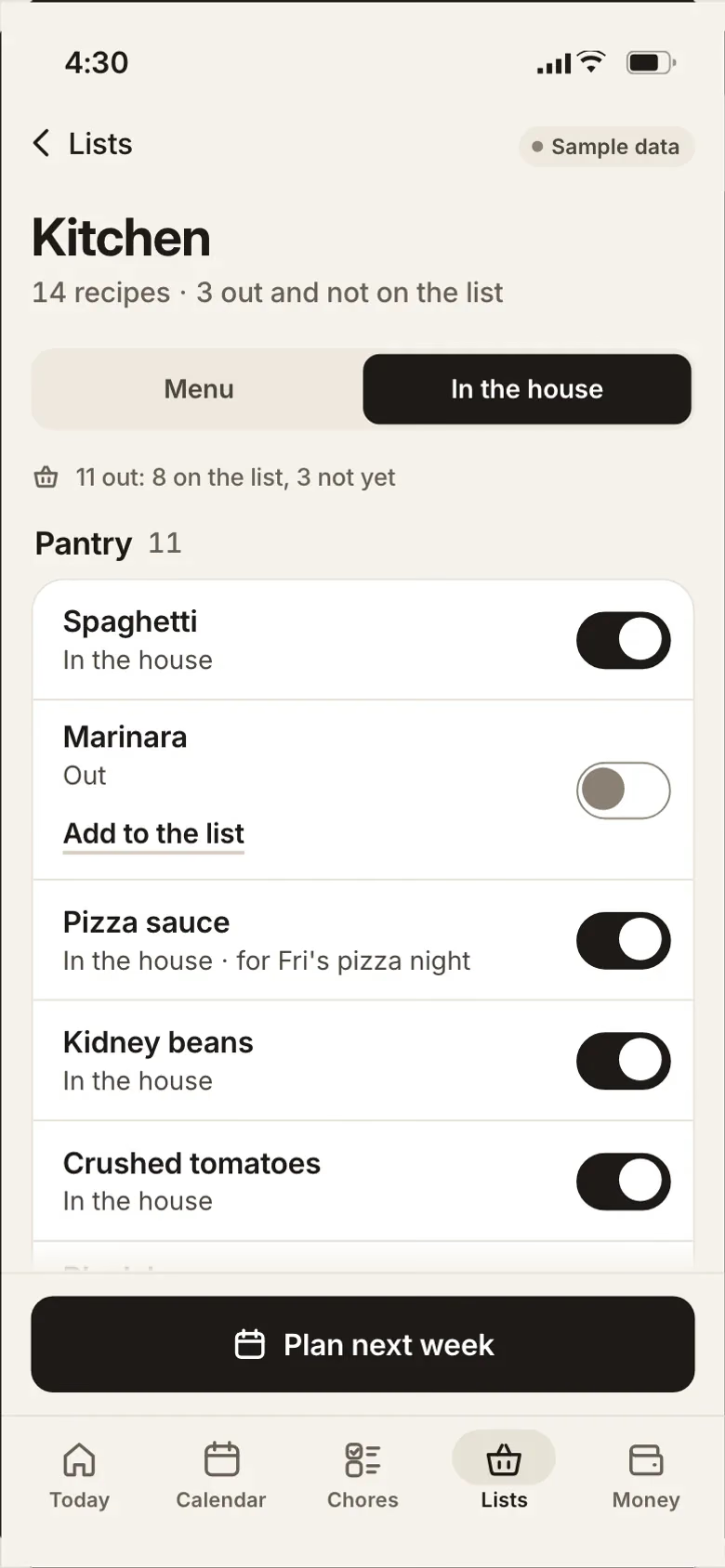
Plan 5 dinners on Sunday and put them where everyone can see them, so “what’s for dinner?” answers itself. Keep 1 grocery list that everyone adds to the moment something runs out. Make it a rule: “if you finish it, add it,” so the job falls to whoever used the last of it. Pick meals the whole family eats, so nobody cooks 2 dinners on a weeknight. Keep a running list of 10 dinners your family likes and pull from it each Sunday. Write the prep on the plan, like “thaw the chicken in the morning,” so whoever gets home first can start dinner. Sort the grocery list by store section, so one trip covers it.
Bills, without a bank login
You don’t need to connect a bank account to stay on top of the bills. List each bill with its due date, the amount it usually is and who pays it. Check the list on your Sunday sit-down. Keep a simple budget you type in yourselves, so you see every number you enter. If one person always pays the bills, let the other see the list anyway, so nobody learns about a late fee from the mail.
Pick an app the whole house will use
Before you pay for any family app, check 5 things. Does it work on every phone in the house, iPhone and Android alike? Can each person add something in 1 step? Can you keep a few things private? Does the grocery list update on every phone at once? And can you export everything if you leave? A list that doesn’t sync can leave one person doing all the entering, which is the problem you were trying to fix.
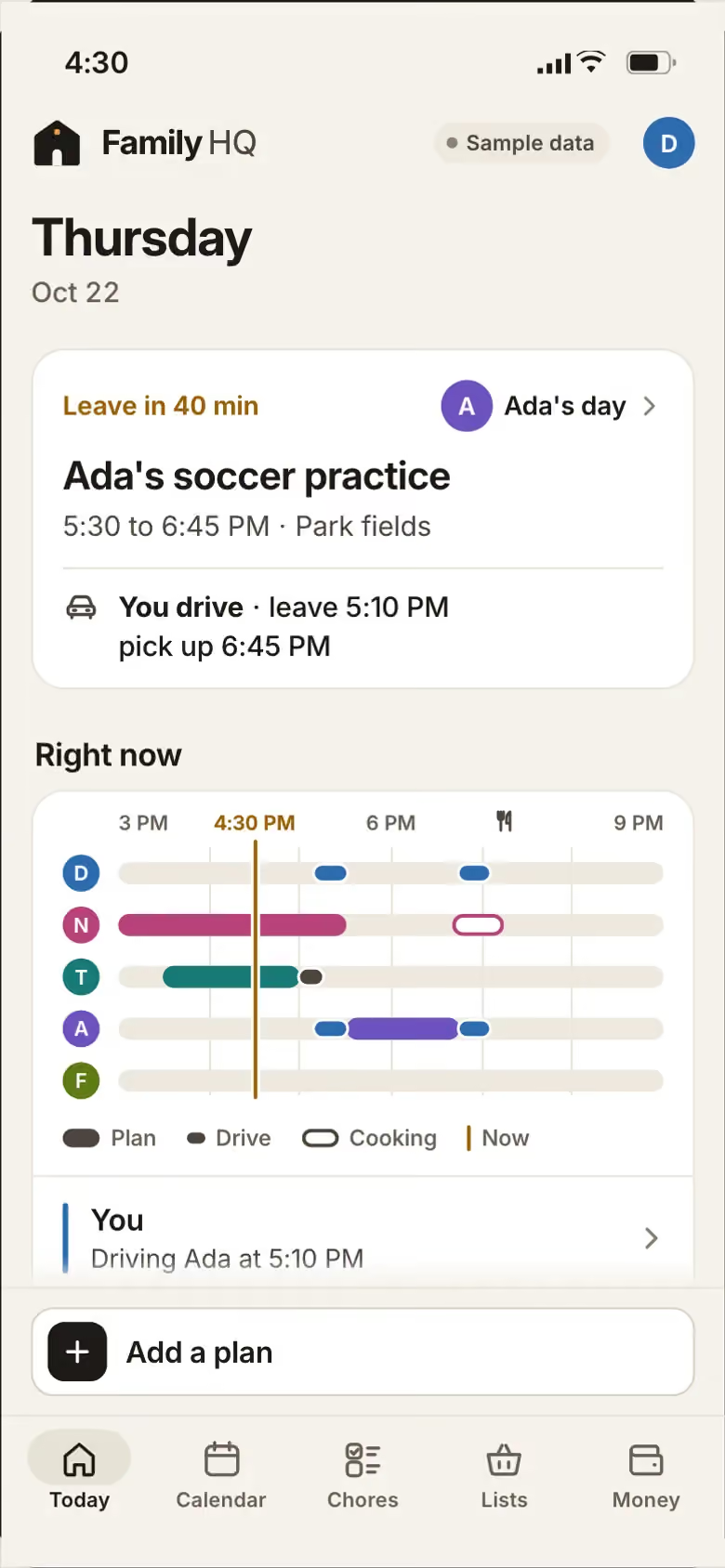
Family HQ, the family app we built
Family HQ is a real Joiner build, shown with sample data. Today shows who is where, the chores and tonight’s dinner. The calendar holds everyone’s week, with private entries only you can see. The grocery list is shared, and it says who added what. Bills show by due date, with who is paying, and you can download a copy of your plans, lists, bills and spending. Yours would be built for your household and nobody else’s, and install on each phone’s home screen with no app store. Try Family HQ.