How to sell personal training packages
Sell outcomes and commitment more than single hours. Offer 3 ways in, and make the middle one the obvious pick:
- A single session, priced highest per hour, for people who want to try you.
- A monthly package of sessions, billed every month, for clients who train with you each week.
- Online coaching: a program, weekly check-ins and messages, for clients who train on their own.
Show the price per session on each option, so the value of the monthly package is plain. Charge up front, and give packages an end date so sessions don’t pile up for months. Start the renewal talk 2 weeks before a package ends, with the client’s progress in front of you. Show the client what changed before you talk about the bill.
How to keep track of your clients
A spreadsheet can do it, and so can an app. Whatever you use, keep the same 5 things for every client in one place: their goal, their current program, their check-ins, the sessions left on their package and their payment status.
Look at all of it once a week. Who hasn’t checked in? Whose package ends soon? Whose numbers stalled? Set aside time each Sunday for it, so you don’t find out at the session.
Payments that don’t make it awkward
Keep money talk off the gym floor. Set it up so you rarely need to have it:
- Take a card when they sign and bill automatically each month.
- Write your rules once: what happens after a missed payment, and how a pause works.
- Let the reminders go out on their own when a card fails.
- Record cash and app payments in the same place, so your numbers are complete.
Write your pause rule in plain words a client can read: how long a pause can run, how much notice you need and what happens to the sessions left on the package. Put it in the signup form, so it is settled before anyone asks.
Give clients 1 place to see what they owe, and put the pay button in the reminder itself, so paying is 1 tap from the message.
Start with the people your clients talk to every day.
- Ask for a referral when a client hits a goal, not on day 1.
- Ask for a Google review at the same moment, with a link they can tap.
- Partner with the businesses next to your clients: a physical therapy office, a running store, a nutrition coach.
- Offer a short assessment for new people, and follow up the same day.
Write down where every new client came from. After 3 months, check which source sends the clients who stay, and spend your hours there.
Check-ins clients will finish
Keep the weekly check-in to 3 questions and 1 optional photo: how training went, how food went and what got in the way. Aim for a check-in that takes 2 minutes, and skip the long form. Answer each one within a day. Start your reply with 1 thing they did well, then give 1 change for next week, small enough to do on a busy day.
A check-in and a pause rule to copy
The weekly check-in, in 2 minutes:
- How did training go this week, from 1 to 5?
- How did food go, from 1 to 5?
- What got in the way?
- A photo, if you want to send one.
A pause rule for your signup form: “You can pause your package once every 3 months, for up to 4 weeks. Tell me 7 days before. Your sessions wait for you, and your billing date moves by the length of the pause.” Change the numbers to yours, then keep them the same for every client.
Change a program without breaking the template
Keep a handful of master programs, then adjust each one for the client in front of you. One coach with 40 clients said they need to edit templates to each client’s needs without it changing their other clients. The trap is software where editing one client’s copy changes everyone’s. Keep your templates as templates. Copy one to a client, then change that client’s copy only: swap a lift for an injury, change the days, add a habit. Note why you changed it, so the next check-in starts with context. When the program works for several clients, fold the change back into the template on purpose.
Lift Coach, the coaching app we built
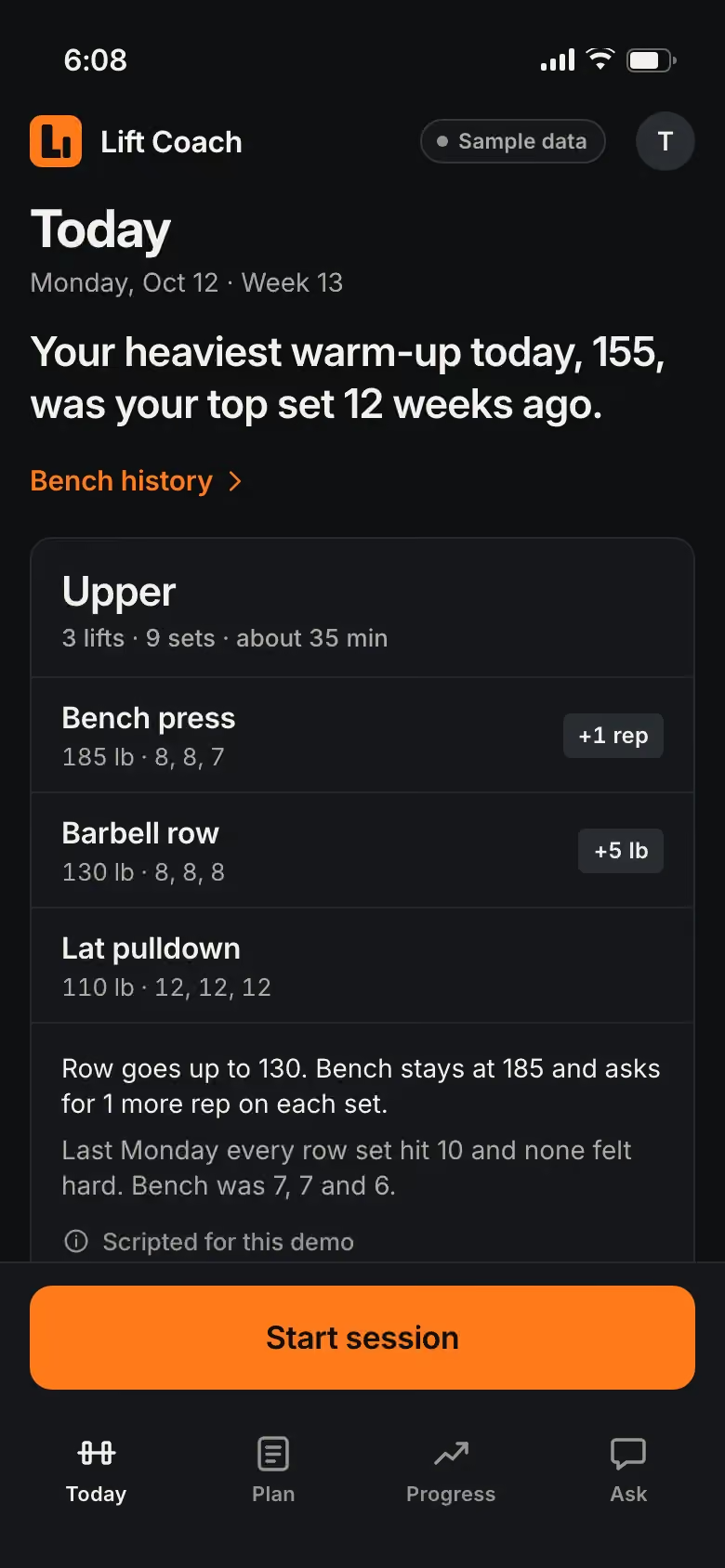
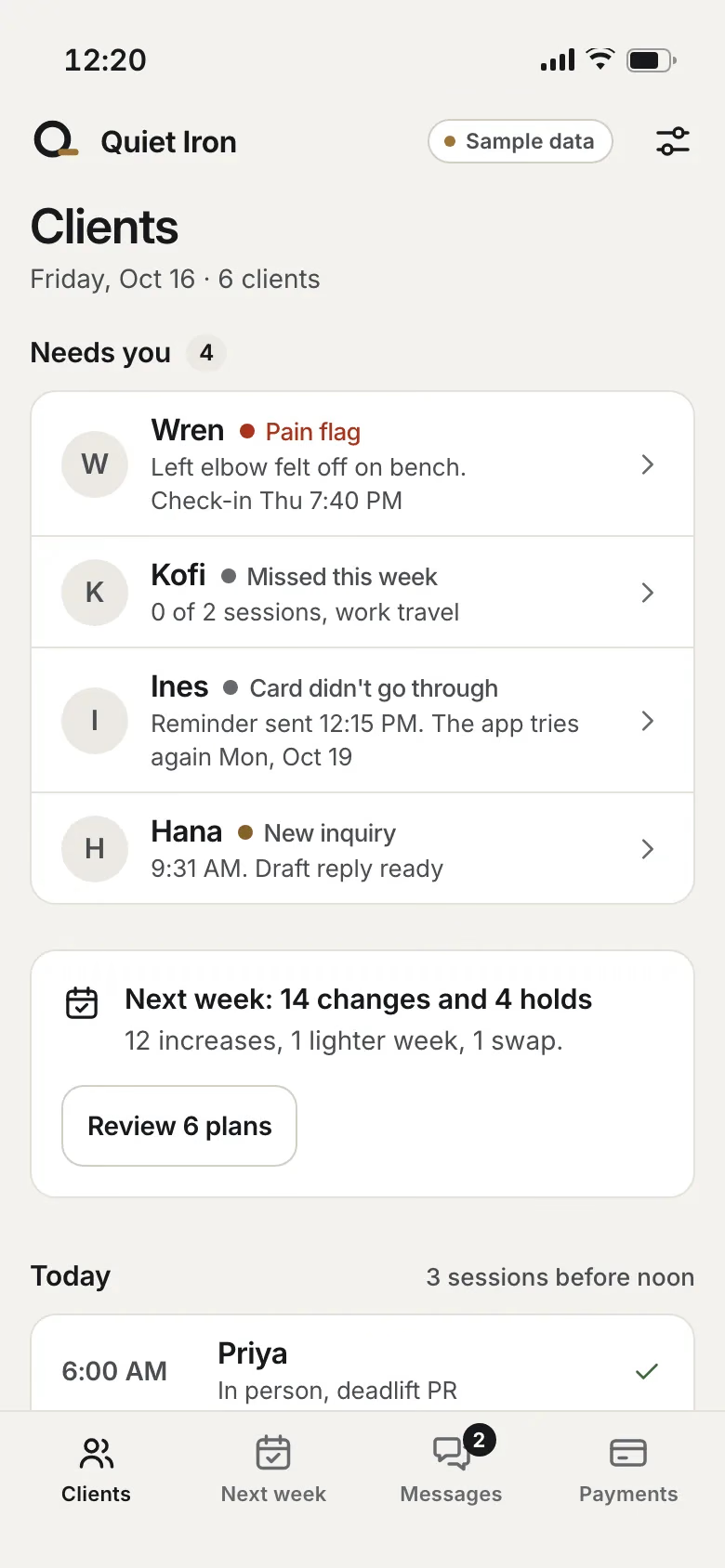
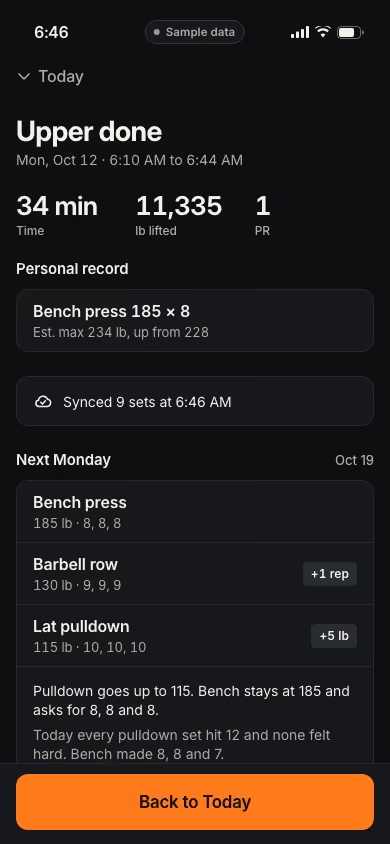
Lift Coach is a real Joiner build, shown with sample data. Your clients see today’s session, planned from their last one, and log each set in 2 taps. You see every client’s program and check-ins, with the clients who need you on top, and next week drafted for every client for your okay. Yours would carry your coaching name and logo, and install from a link on your clients’ phones, with no app store. Growth adds the customer portal and a new feature or automation built every month. Try Lift Coach.
Not ready to start? Have Otis audit your business, free.